News Literacy Resources
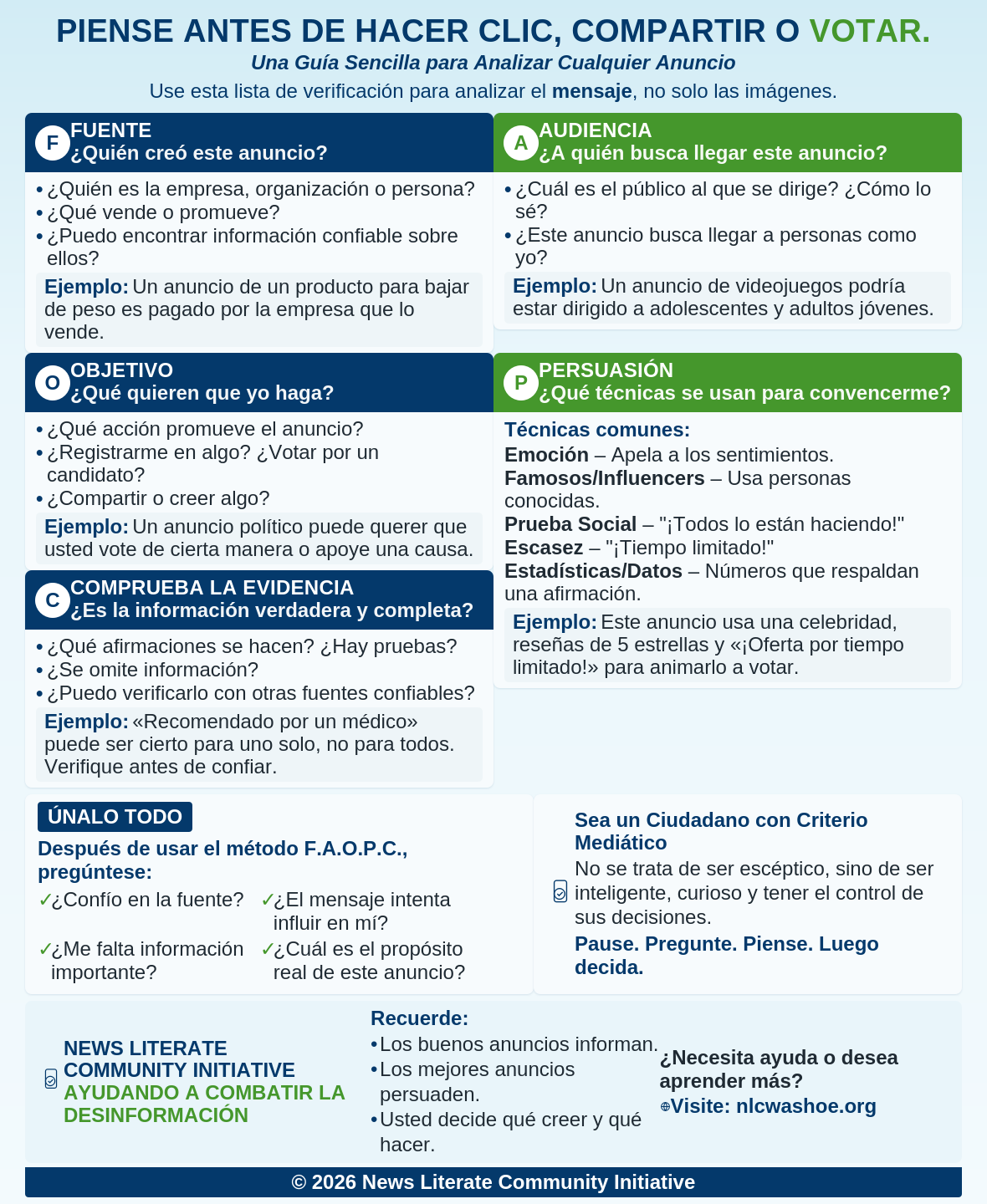
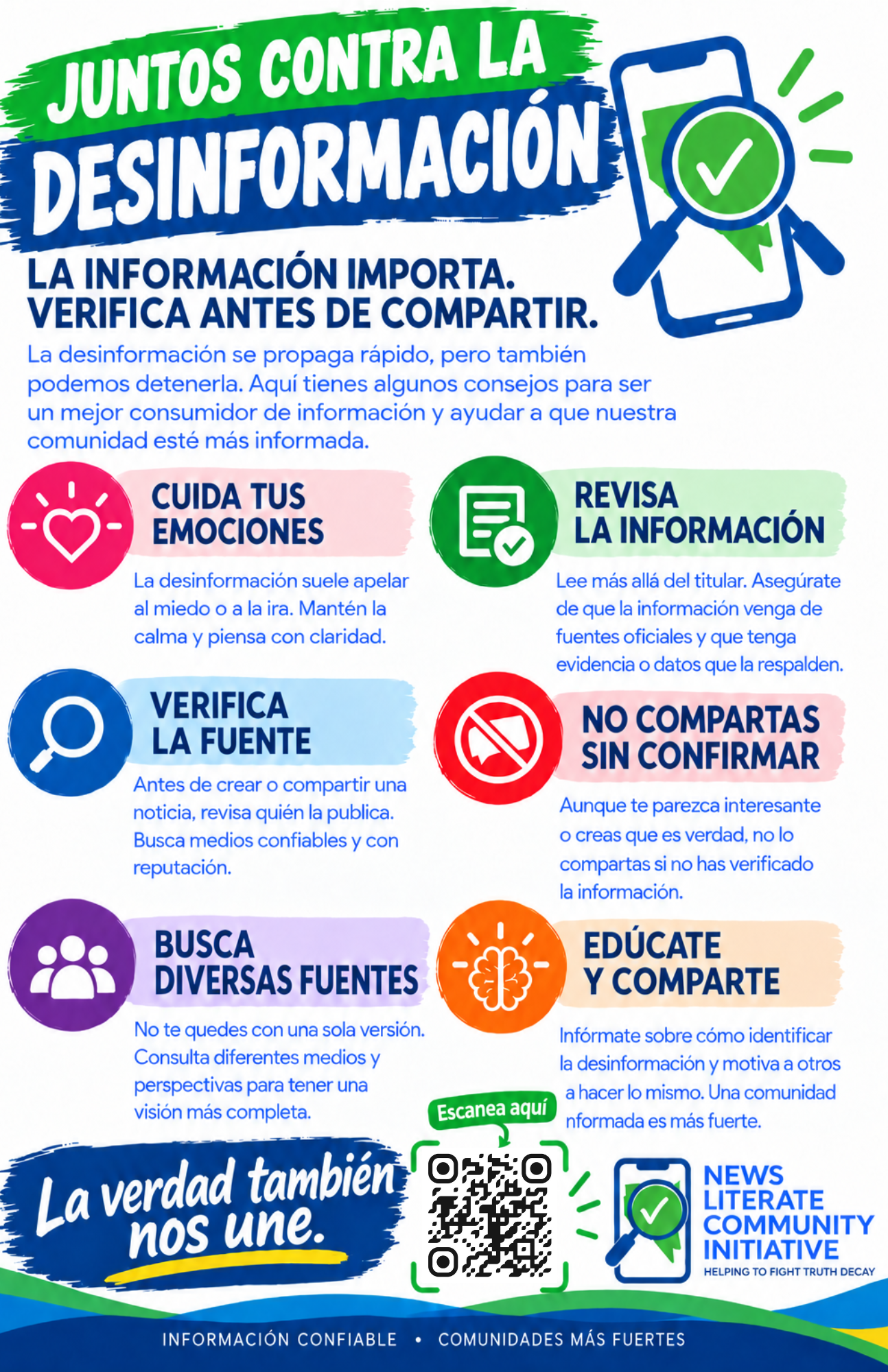
Fight Truth Decay with Our Toolkit
Welcome to our hub of practical tools designed to help adults recognize credible information, evaluate news sources, and build strong, everyday news literacy skills. These resources support individuals, families, educators, and community groups as we work together to fight truth decay. Click here for a list of our FAVORITE news literacy tips!
Making Sense of the News: News Literacy Lessons for Digital Citizens
This six-week course will help learners develop their critical thinking skills to enable them to identify reliable information in news reports better and to become better informed about the world in which we live.
Outsmart AI to Spot Misinformation and Evaluate Sources
This course will teach you the techniques used by professional fact checkers to evaluate all kinds of media for accuracy and reliability.
Analyze Media Messages: Bias, Motivation and Production Choices
Learn how media messages are built not just through scripts but production choices like framing and music and how these choices influence our interpretation and actions.
Evaluating Online Sources: Checking Facts and Identifying Misinformation
Gain confidence and resources for teaching how to evaluate information and spot unreliable sources.
Fact Chequeado (Spanish language fact checking site)
Factchequeado is a non-partisan, non-profit organization closing the information gap in Spanish for more than 68 million Latinos. Try it out today!
Fact-Check a Rumor with Snopes
Heard something that’s too good to be true? Or a fact that sounds a little fishy? Fact-check it with Snopes!
Become a News Literate Community Ambassador
Help fight truth decay—share tools and tips with your community.
Why News Literacy Matters
Discover how truth decay impacts society—and what you can do to stay informed and resilient.
Pew Research: Most Americans say Republicans and Democrats cannot agree on basic facts
Eight-in-ten U.S. adults say that when it comes to important issues facing the country, Republican and Democratic voters not only disagree on plans and policies, but also cannot agree on basic facts.
Pew Research Center: News Habits and Media
The Pew Research Center’s “News Habits & Media” section compiles data-driven research about how Americans consume news, how their trust and use of different media platforms are evolving, and the challenges of misinformation in today’s information environment.
Trusted Organizations promoting Media Literacy
Discover organizations dedicated to strengthening informed communities through transparency, digital citizenship, and responsible news consumption.
Allsides
AllSides’ information integrity technologies and services help people and organizations get out of manipulative, one-sided, and biased information systems wherever they might be — in technology, news, companies, government, classrooms and beyond — so we can all see the full picture, think for ourselves and make the best decisions.
Digital Citizenship Initiative
Digital Citizenship is a set of strategies and behaviors designed to promote a safer, more respectful online experience for everyone.
Trust Project
Look for our 8 Trust Indicators, now presented on hundreds of news sites. They are the first global transparency standard that helps people know who and what is behind a news story: policies to ensure honesty, accuracy and fairness, commitments to own up to mistakes, details about ownership, info on a journalist’s expertise, and more.
Ad Fontes
The information landscape is vast and noisy. We’re here to help you sort through it by rating sources for reliability and bias. Obviously, people have lots of different thoughts about how reliable and biased various news sources are, so we do everything we can to earn your trust.
Fact-Checking Sites
Reverse Image Lookup
Tools:
How to Detect Deepfakes
1. Look for visual red flags
- Eyes: Watch for unnatural blinking or a lack of eye movement.
- Facial features: Look for distortions around the edges of the face, inconsistencies in skin tone, or strangely smooth or overly sharp textures.
- Lighting and shadows: Inconsistent shadows or glare can indicate a deepfake.
- Synchronization: Mismatched lip-syncing with speech is a common and easy-to-spot sign.
2. Listen for audio red flags
- Voice: A robotic or flat tone that lacks natural inflection can be a sign.
- Breathing and pauses: Odd pauses or mechanical-sounding breathing are potential indicators.
- Audio artifacts: Listen for artificial-sounding blips or sudden changes in pitch.
3. Compare body, voice, and context
- Body language: Look for jerky or unnatural head movements.
- Contextual knowledge: Consider if the content makes sense in the real world. Does the voice and behavior match what you would expect from that person in that situation?
4. Check the source
- Credibility: Consider where the video or audio came from. Is the source reputable?
- Original upload: If you can’t trace the original source, treat the content with skepticism and try to verify it elsewhere.
5. Use tools to verify
- Deepfake detection software: Specialized tools can analyze videos and images for signs of tampering.
- Watermarking: Some AI-generated content may be watermarked to indicate its origin.
- Ai image searched-Google Image, TinEye
Elections
State and Local Issues
When to use which tool
Just want to know “where did this image come from?” or “who else is using it?”
→ Start with TinEye + Google Images.
Want to find visually similar items/products (e.g., I have a picture of a gadget/clothing item) for shopping or sourcing → Use Google Images or Bing or Reversely.ai.
Suspect an image is being misused, or want to check for copyright/infringement
→ TinEye + Reversely.ai (or a paid image-monitoring service) are good.
Working on mobile/quick check
→ Use the mobile versions of Google/Bing or a free aggregator like SmallSEOTools.
Need advanced matching (cropped, object detection)
→ Use Reversely.ai or similar AI-powered tools.
The News Literacy Project — Resources

The News Literate Community Initiative is proud to use resources developed by the News Literacy Project (NLP), a nationally recognized leader in news literacy education. Through this collaboration, we bring NLP’s proven resources, expert guidance, and evidence-based materials to our local community.
The NLP resources strengthen our ability to provide high-quality, nonpartisan tools and training, ensuring that our programs reflect the best practices in news literacy education and strengthen our efforts to fight truth decay.
National Data Sources
Explore the raw data yourself with these ten trusted national databases and dashboards, covering everything from government spending to public health.
USAFacts
What is my government actually doing with my money? A nonprofit founded by Steve Ballmer that strictly uses official federal, state, and local government sources to track spending, population, health, education, and crime across all levels of government.
Our World in Data
Understand how the world is changing over time. An Oxford-affiliated nonprofit tracking global trends in poverty, health, education, climate, and more, with every chart interactive and linked to its original data source.
Pew Research Center
Understand what Americans (and people worldwide) actually think. An independent, nonpartisan nonprofit covering U.S. and global public opinion on politics, religion, social trends, media, race, and technology.
CDC Data & Statistics
Health conditions, disease rates, and vital statistics in the U.S. Run by the Centers for Disease Control & Prevention, covering mortality causes, chronic disease, vaccination rates, and environmental health down to the county level.
U.S. Census Bureau
What is my neighborhood, city, or county actually like? A constitutionally mandated federal agency providing income, poverty, housing, education, and demographic data for virtually every U.S. community.
FRED (Federal Reserve Economic Data)
Tracking inflation, unemployment, housing prices, and interest rates. Run by the Federal Reserve Bank of St. Louis, with 800,000+ economic time-series covering prices, wages, employment, and trade.
NCES / Nation’s Report Card
How are students doing in my state or district? Run by the National Center for Education Statistics, tracking reading and math achievement for U.S. students by state, district, and demographic group since 1990.
KFF Health Policy
Health insurance, Medicaid, Medicare, and prescription drug costs. Run by the Kaiser Family Foundation, an independent, widely trusted nonprofit health policy research organization.
EPA Environmental Explorer & AirNow
Air quality, water quality, and environmental hazards near me. Run by the U.S. Environmental Protection Agency, offering real-time air quality index by ZIP code, water quality data, and environmental justice maps.
ProPublica Data Store
Accountability — finding what government does not advertise. An independent nonprofit investigative newsroom whose datasets come with accompanying investigative stories that explain the data in plain language.
Trusted National News Sources, 2025
Please note that this list is based on a 2025 survey of over 2,200 adult US citizens. The following news sites were chosen as the most trustworthy from a field of 52 news sites.
- BBC
- PBS
- Forbes
- ESPN
- Wall Street Journal
- Reuters
- Associated Press
- NPR
- Local newspapers
Support the Initiative
Your contribution helps bring news literacy tools to neighbors, families, and community groups.
Contact Us: info@nlcwashoe.org
News Literate Community Initiative is fiscally sponsored by AHA Projects, a 501(c)3 non-profit organization.
All donations to the News Literate Community Initiative are considered tax-deductible.
For questions or to contact AHA Projects, please email info@aha-projects.org.